EKS (Managed Kubernetes)
Provision an AWS-compatible EKS control plane and managed node group on Spinifex, wire up the VPC, IAM, and security groups, then deploy your first workload.
Overview
An EKS cluster on Spinifex has two parts: a control plane (the managed Kubernetes API server, provisioned on a Spinifex-managed VM and fronted by a network load balancer) and one or more managed node groups of worker VMs that run your pods. You provide the VPC, subnets, and IAM roles; Spinifex creates and reconciles the cluster, its load balancer, and its security groups.
Authentication uses EKS access entries (the API authentication mode) — IAM principals are mapped to Kubernetes RBAC groups, and kubectl authenticates with aws eks get-token exactly as it does on AWS.
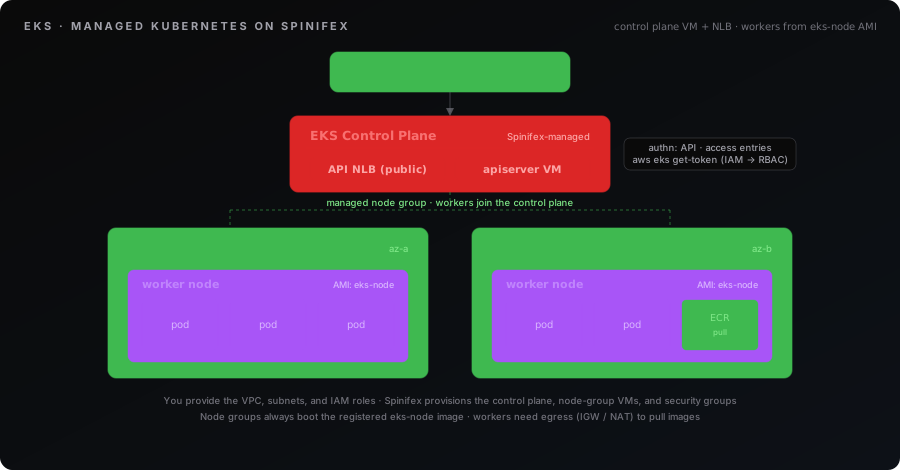
What you'll create:
| Resource | Purpose |
|---|---|
| VPC + subnets | The network the cluster and workers run in |
| Internet Gateway / NAT Gateway | Egress so workers can pull container images |
| Cluster IAM role | Lets the control plane manage cluster resources |
| Node IAM role | Lets workers join the cluster and pull images |
| EKS cluster | The managed Kubernetes API endpoint |
| Managed node group | The worker VMs that run your pods |
| Security-group rule | Opens your app's port to reach the workers |
Spinifex specifics
- Access entries are the only auth path.
authentication_modeacceptsAPI(the default when unset) andAPI_AND_CONFIG_MAP; bareCONFIG_MAPis rejected. Spinifex has noaws-authConfigMap path, soAPI_AND_CONFIG_MAPbehaves asAPI: grant access with access entries. - Security groups are auto-managed. Spinifex creates the cluster and node-group security groups deterministically (e.g.
eks-cluster-<name>-nodegroup-sg);vpc_config.security_group_idsis ignored. To expose a workload you add an ingress rule to the auto-managed node-group SG. - The worker image is fixed. Node groups always boot Spinifex's
eks-nodeimage.ami_typeis recorded but does not select the image, and the image must be registered on the cluster before you create a node group. - Default Kubernetes version is
1.32.
Prerequisites
Prerequisite — eks-node image required.
Node groups always boot Spinifex's eks-node image, and it must be registered before you create a cluster — the console blocks cluster creation until it is present. Import it during spx admin init (or via the image catalogue) ahead of time.
Verify before continuing:
aws ec2 describe-images \
  --filters 'Name=tag:spinifex:managed-by,Values=eks' \
  --query 'Images[].[ImageId,Name]' --output text
No rows means the image is not imported — register it before continuing.
Before creating a cluster you need the supporting infrastructure in place. The Terraform workbooks build all of this for you; if you are using the CLI or console, create it first.
- Spinifex running, with the AWS CLI configured for the
spinifexprofile (see Installing Spinifex) andkubectlinstalled. - The
eks-nodeimage registered on the cluster. The console blocks cluster creation until it is present. - A VPC with at least one subnet. The control plane launches in your first subnet; workers run in the subnets you pass to the node group.
- Egress for the workers. Workers must reach the internet to pull container images.
- Public workers need an Internet Gateway with a default route (
0.0.0.0/0 → IGW) and public IPs. - Private workers need a NAT Gateway in a public subnet with a default route (
0.0.0.0/0 → NAT) from the private subnets. - A cluster role trusted by
eks.amazonaws.comwithAmazonEKSClusterPolicyattached. - A node role trusted by
ec2.amazonaws.comwithAmazonEKSWorkerNodePolicy,AmazonEKS_CNI_Policy, andAmazonEC2ContainerRegistryReadOnlyattached (the last lets workers pull images from ECR).
Instructions
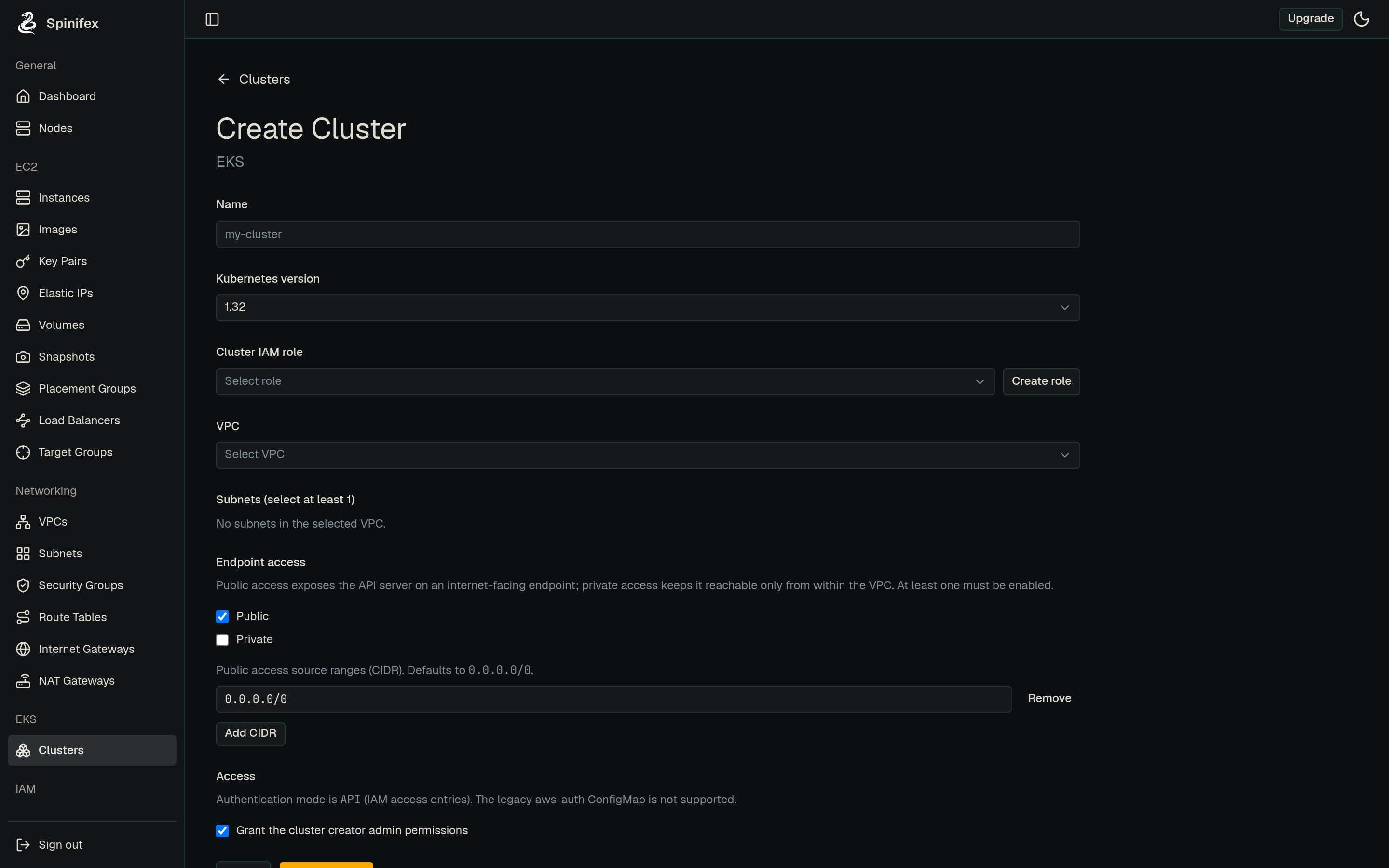
The same cluster can be created three ways. Pick your tool — each path reaches the same working cluster.
1. Create the cluster
Point the cluster at your VPC subnets and the cluster role, with API authentication and a public endpoint:
export AWS_PROFILE=spinifex

aws eks create-cluster \
  --name demo \
  --role-arn arn:aws:iam::000000000000:role/eks-cluster-role \
  --resources-vpc-config subnetIds=subnet-aaaa,subnet-bbbb,endpointPublicAccess=true \
  --access-config authenticationMode=API \
  --kubernetes-version 1.32
Wait for it to become active:
aws eks wait cluster-active --name demo
aws eks describe-cluster --name demo --query 'cluster.status'
2. Add a node group
aws eks create-nodegroup \
  --cluster-name demo \
  --nodegroup-name default \
  --node-role-arn arn:aws:iam::000000000000:role/eks-node-role \
  --subnets subnet-aaaa subnet-bbbb \
  --scaling-config minSize=1,maxSize=2,desiredSize=1 \
  --instance-types t3.medium

aws eks wait nodegroup-active --cluster-name demo --nodegroup-name default
3. Connect kubectl
aws eks update-kubeconfig --name demo
kubectl get nodes
4. Expose a workload
Workers join an auto-managed security group that only allows intra-cluster traffic. To reach a NodePort service, add one ingress rule to that SG (look it up by its deterministic name):
SG=$(aws ec2 describe-security-groups \
  --filters Name=group-name,Values=eks-cluster-demo-nodegroup-sg \
  --query 'SecurityGroups[0].GroupId' --output text)

aws ec2 authorize-security-group-ingress \
  --group-id "$SG" --protocol tcp --port 30080 --cidr 0.0.0.0/0
Then deploy and publish your app:
kubectl create deployment hello --image=nginxdemos/hello --replicas=2
kubectl expose deployment hello --type=NodePort --port=80 \
  --overrides='{"spec":{"ports":[{"port":80,"nodePort":30080}]}}'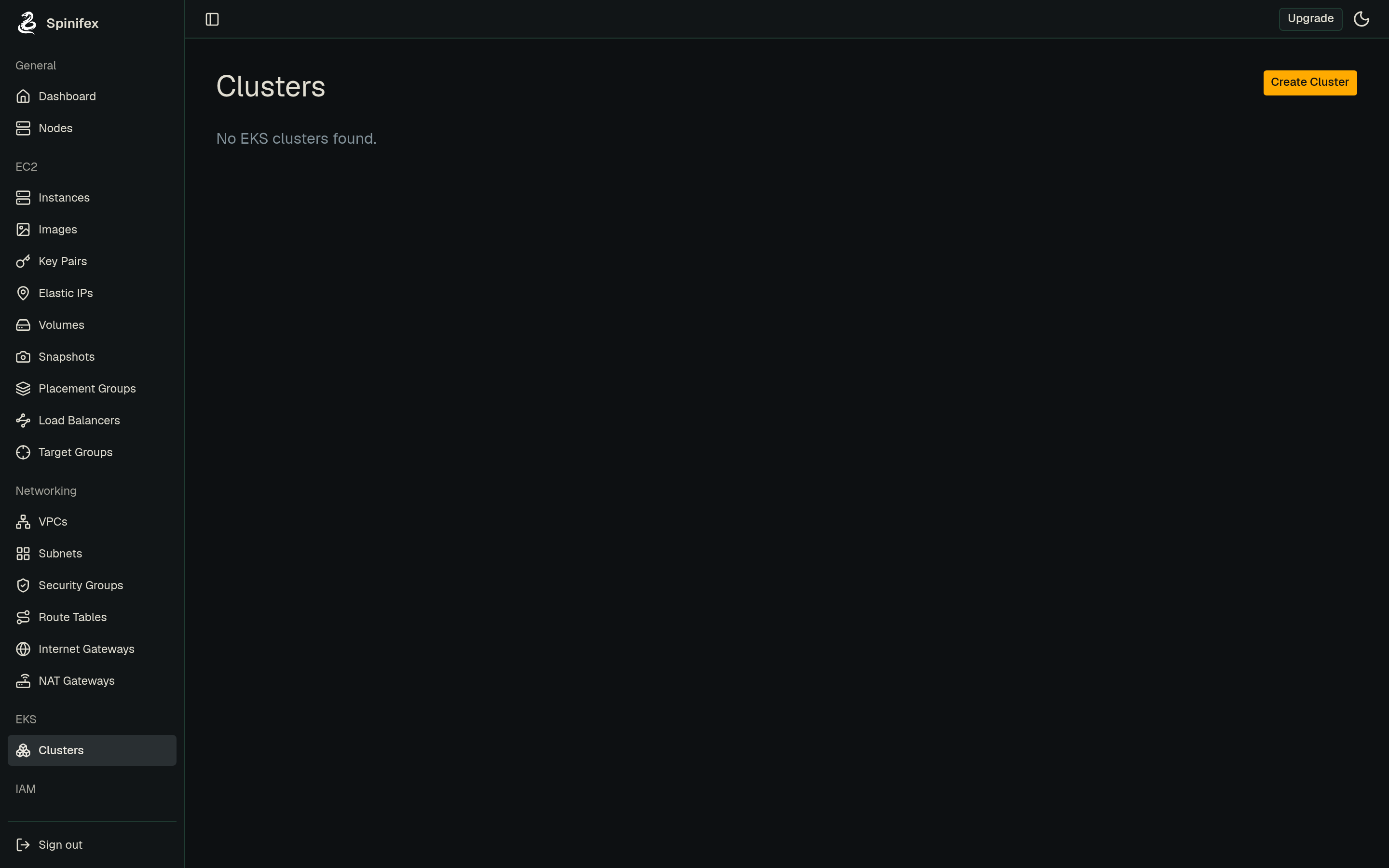
Troubleshooting
Cluster stuck in CREATING. The control plane is still booting. Check aws eks describe-cluster --name <name> --query 'cluster.health' for reported issues. The control plane needs egress to bootstrap, so confirm its subnet has an Internet Gateway route.
kubectl cannot connect. Re-run aws eks update-kubeconfig --name <name> to refresh the endpoint and CA, and confirm the cluster is ACTIVE. aws sts get-caller-identity verifies your credentials reach the Spinifex endpoint.
Workers stay NotReady. Almost always an egress or IAM problem:
- Confirm the workers can pull images — a default route to an Internet Gateway (public) or NAT Gateway (private).
- Confirm the node role has
AmazonEKSWorkerNodePolicy,AmazonEKS_CNI_Policy, andAmazonEC2ContainerRegistryReadOnly.
Workload unreachable from outside the cluster. The node-group security group only allows intra-cluster traffic by default. Add an ingress rule for your NodePort to eks-cluster-<name>-nodegroup-sg, as shown in the CLI tab.
create-cluster rejected with an authentication-mode error. CONFIG_MAP is the one mode Spinifex rejects, because it has no aws-auth ConfigMap path. Set authentication_mode to API or API_AND_CONFIG_MAP, or leave it unset, and grant access with access entries.
Addon install fails. Only addons bundled into the registered eks-node image install successfully. If you pin an addon version in Terraform, leave addon_version unset so Spinifex selects the catalog default.
Reference Architectures
EKS AI Platform on Bare Metal: llama.cpp + YOLO on RTX Pro 6000
A complete end-to-end example of Spinifex EKS in production: a GPU-accelerated AI inference platform running on a Supermicro X14 2U with two NVIDIA RTX Pro 6000 Blackwell GPUs. The guide provisions an EKS cluster with two GPU worker nodes via VFIO PCIe passthrough, deploys an OpenAI-compatible LLM API (llama.cpp / Llama 3.2 3B) and a real-time YOLO object-detection stream on separate GPU nodes, and wires them together behind an ALB using IAM, ECR, ACM, and EBS — all with standard AWS tooling and a single AWS_PROFILE swap.